
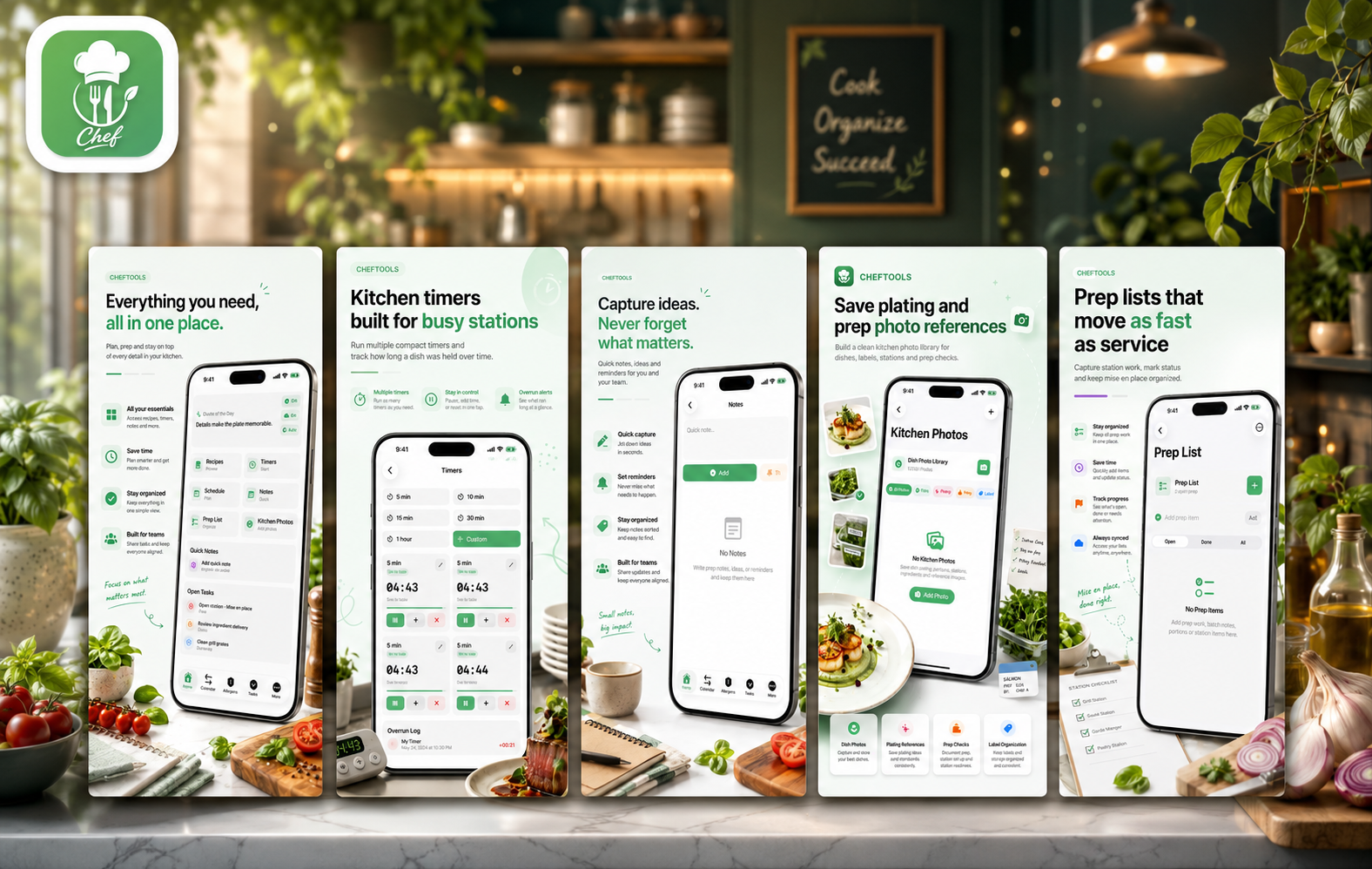
Modern kitchens move fast. Whether you are preparing a full dinner service, managing recipes for a small team, organizing prep before a busy shift, or simply trying to keep your home cooking more structured, details matter. Timers, notes, recipes, allergens, prep lists, photos, schedules and unit conversions often live in different places — paper notebooks, screenshots, messages, spreadsheets or memory.
Chef Tools is built to bring those kitchen essentials into one clean app. Available on the App Store, Chef Tools is a practical cooking and kitchen workflow app designed for chefs, cooks, culinary teams and serious home cooks who want a faster way to organize daily kitchen work.
Instead of focusing on one single feature, Chef Tools works as an all-in-one kitchen companion. It helps users manage recipes, run multiple timers, organize prep tasks, save plating references, check allergens, keep quick notes, plan schedules and convert common kitchen measurements. The result is a compact digital workspace made for real kitchen routines.
What Is Chef Tools?
Chef Tools is a Food & Drink app for iPhone and iPad that combines several everyday kitchen tools into one interface. It is designed for practical use during prep, service, recipe development, training and kitchen planning.
The app focuses on clarity and speed. In a kitchen, a tool should not slow you down. Chef Tools keeps important sections close: recipes, timers, prep lists, notes, kitchen photos, allergen checks, schedule tools and converters. This makes it useful not only for professional chefs but also for home cooks who want better organization.
The idea is simple: when everything related to kitchen work is in one place, it becomes easier to prepare, cook, document and repeat successful results.
Recipe Management for Real Kitchen Use
Recipes are one of the most important parts of any kitchen workflow. Chef Tools allows users to build and manage a recipe library with key recipe details such as ingredients, steps, yield, categories, tags, photos and allergen information.
This is especially useful for cooks who need repeatable results. A recipe is not just a list of ingredients — it is a working document. It may include preparation steps, portion yield, notes, category tags and visual references. Chef Tools helps keep that information structured.
One of the most useful features is recipe scaling. When a dish needs to be adjusted for a different portion count, Chef Tools can help scale recipes so users can adapt quantities for prep, events, service or batch cooking. This is valuable for professional kitchens, catering work and home cooks who frequently adjust recipes for different group sizes.
The app also supports sharing, saving as PDF and printing recipe sheets. That makes it easier to use recipes for prep, training, team communication or kitchen documentation.
Multiple Kitchen Timers Built for Busy Stations
Timing is one of the most stressful parts of cooking. In a real kitchen, one timer is rarely enough. You may have sauces reducing, proteins resting, vegetables roasting, dough proofing, stock simmering and prep batches cooling — all at the same time.
Chef Tools includes multiple compact kitchen timers designed for fast kitchen use. Users can run several timers at once, pause or reset them, and keep track of timing without switching between separate apps or relying on memory.
The app also includes overrun tracking, which helps users see how long an item stayed past the target time. This is useful for kitchen discipline, food quality and service consistency. In professional environments, even a few extra minutes can change texture, temperature or presentation. Chef Tools gives cooks a clearer view of what is happening during active work.
Prep Lists for Mise en Place
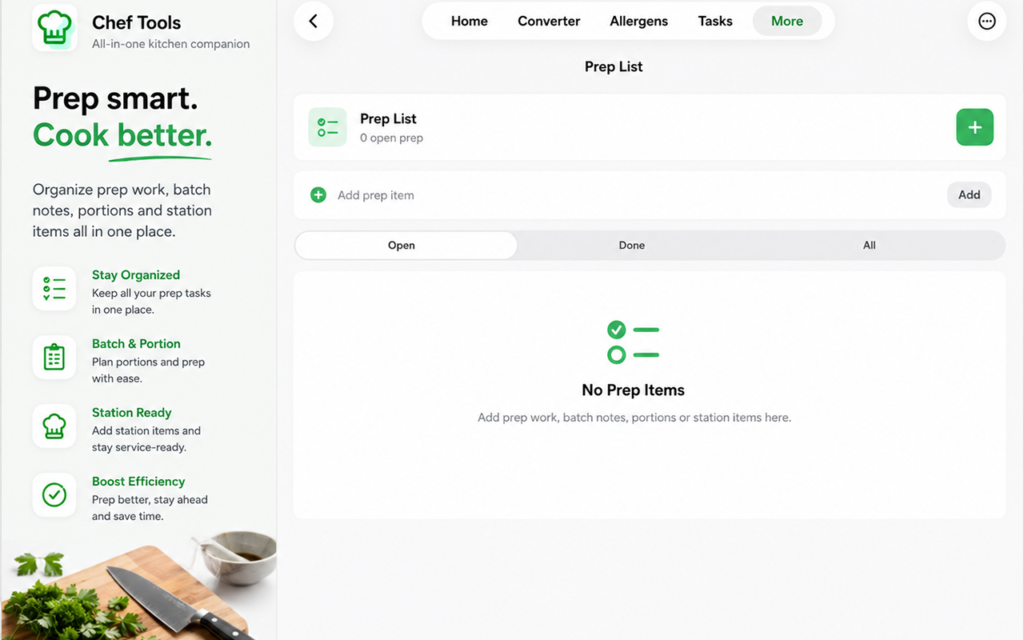
Good cooking starts before the pan gets hot. Prep work — or mise en place — is the foundation of efficient kitchen service. Chef Tools includes a Prep List section that helps users quickly capture what needs to be done before or during service.
Users can add prep items, mark them complete, attach quantities, stations, notes and dates, and keep prep tasks organized. This is useful for station work, batch prep, cleaning tasks, service readiness and daily kitchen routines.
For professional kitchens, prep lists help reduce confusion. For home cooks, they help make cooking less chaotic. Instead of remembering every step mentally, users can organize the work into clear tasks and move through them one by one.
Kitchen Photos and Plating References
Food is visual. A written recipe may explain ingredients and steps, but a photo can show plating, portion size, texture, labels, prep batches and station setup much faster.
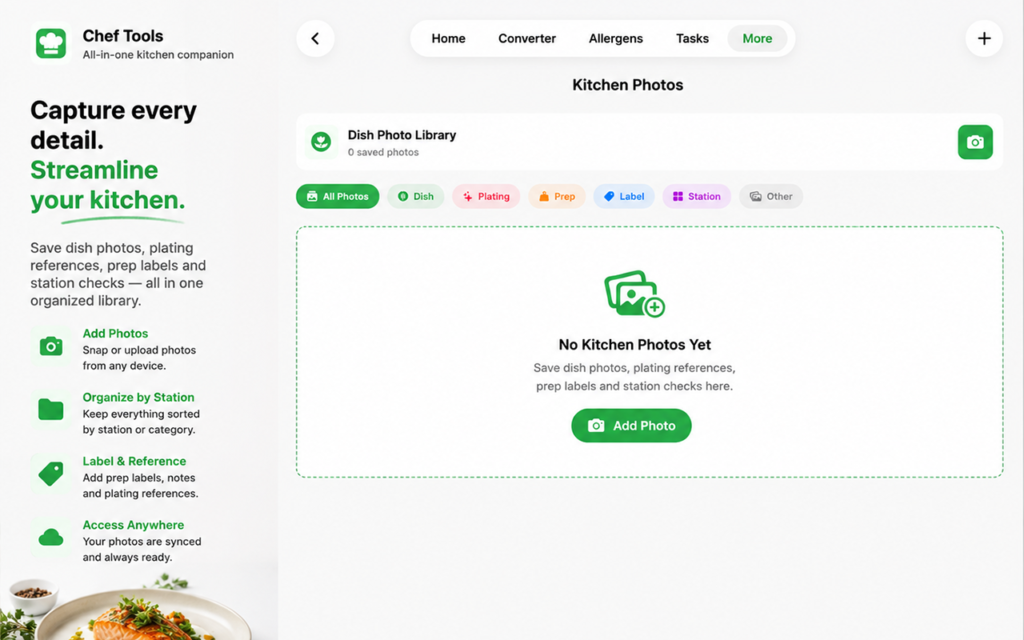
Chef Tools includes a kitchen photo library where users can save photos for dishes, plating references, prep batches, labels, stations and other visual notes. Photos can be viewed full screen, zoomed, shared, printed or exported as PDFs.
This feature is especially helpful for restaurants, catering teams, private chefs and culinary students. A plating reference can help maintain consistency. A label photo can document storage or prep organization. A station photo can show what “ready for service” should look like.
For serious home cooks, the photo library can also become a personal archive of dishes, experiments and favorite plating ideas.
Allergen Checks and OCR Photo Scanning
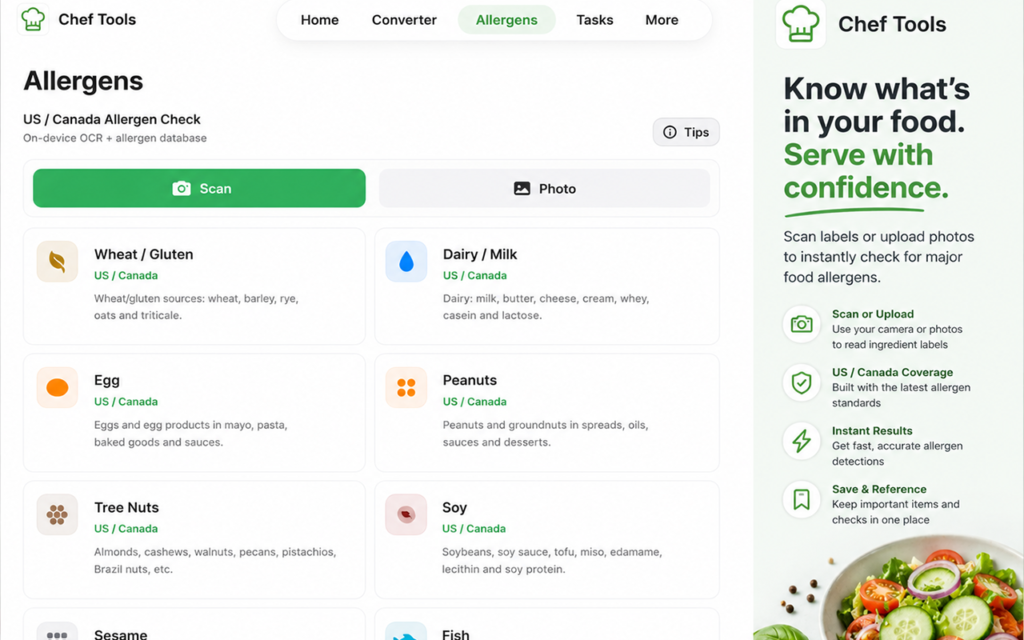
Allergen awareness is an important part of modern cooking. Chef Tools includes on-device allergen keyword checks and OCR-based photo scanning for recipe and ingredient text.
This means users can scan a recipe or ingredient text, and the app can help identify possible allergens. The App Store description notes support for common US, Canadian and international kitchen needs, including gluten/wheat, dairy/milk, egg, peanuts, tree nuts, soy, sesame, fish, shellfish, mustard, sulphites and more.
This feature can be helpful for reviewing recipes, checking ingredient labels or organizing kitchen information. It should not replace professional food safety procedures, supplier verification or official allergen protocols, but it can be a useful extra layer of awareness during kitchen planning.
Notes, Tasks and Schedule Planning
Kitchens generate constant small details: “order more herbs,” “prep extra sauce,” “clean station,” “update recipe,” “check delivery,” “remember plating change,” “call supplier,” “label containers.” These notes can easily disappear if they are not captured quickly.
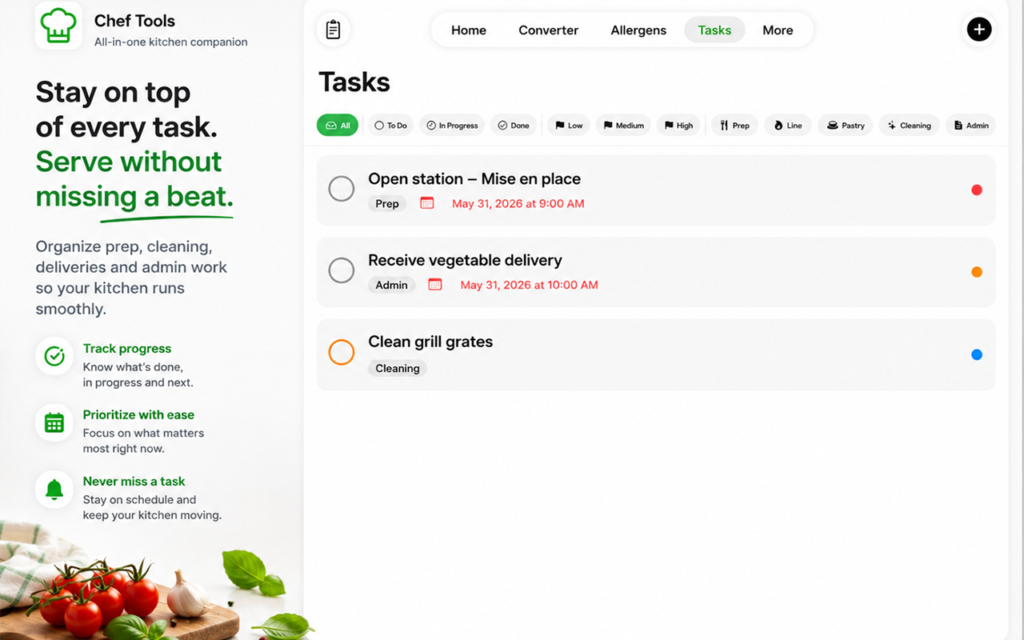
Chef Tools includes quick notes, tasks, reminders and schedule tools. Users can organize prep, service, cleaning and admin items, then keep important kitchen notes easy to access from the home screen.
This makes the app more than a recipe book. It becomes a daily kitchen organizer. For cooks and chefs, that can mean fewer forgotten details. For home users, it can mean more relaxed planning and better cooking routines.
Built-In Kitchen Converter
Cooking often requires quick conversions. Weight, volume and temperature conversions are common when scaling recipes, adapting international recipes, changing portion sizes or working with different measurement systems.
Chef Tools includes a built-in converter for common kitchen measurements, including weight, volume and temperature. This is especially useful when working with recipes from different countries or when adjusting quantities during prep.
Instead of opening a browser or separate calculator, users can convert measurements inside the same kitchen workflow app.
iCloud Sync Across Apple Devices
Chef Tools also supports iCloud sync. When iCloud is enabled, recipes, notes, schedules, tasks, prep lists and kitchen data can stay available across Apple devices.
This is useful for users who work between iPhone, iPad and Mac. A chef might write a recipe on a larger screen, check prep tasks on an iPhone and review plating photos on an iPad. Sync makes the workflow more flexible and helps keep information accessible.
Who Is Chef Tools For?
Chef Tools can be useful for several types of users:
Professional chefs can use it to organize recipes, prep tasks, plating references, timers and service notes.
Line cooks can use it for station prep, quick timers, notes and reminders.
Culinary students can use it to build a recipe library, document dishes and learn structured kitchen workflow.
Catering teams can use it for batch prep, portion scaling, photo references and event planning.
Serious home cooks can use it to bring professional-style organization into their personal kitchen.
Food creators can use the photo and recipe features to document dishes, ideas and cooking experiments.
Why Chef Tools Stands Out
Many cooking apps focus only on recipes. Others focus only on timers or shopping lists. Chef Tools is different because it combines several practical kitchen tools into one app.
The main strength is workflow. Cooking is not only about reading a recipe. It involves planning, timing, prepping, checking, documenting, converting, reminding and repeating. Chef Tools understands that kitchen work is a process.
The app is compact, practical and designed around daily use. It avoids unnecessary complexity and focuses on the tools cooks actually need during prep and service.
Final Thoughts
Chef Tools is a useful app for anyone who wants better kitchen organization. It brings together recipes, timers, prep lists, kitchen photos, allergen checks, notes, schedules, PDFs, conversions and iCloud sync in one clean digital workspace.
For professional kitchens, it can help improve structure, timing and documentation. For home cooks, it can make cooking more organized and less stressful. For culinary teams, it can support consistency across recipes, prep work and plating references.
If your kitchen workflow is spread across notebooks, screenshots, random reminders and separate timer apps, Chef Tools offers a more focused way to keep everything together.
Chef Tools is available on the App Store for iPhone, Mac and iPad.
Download Chef Tools on the App Store: https://apps.apple.com/us/app/chef-tools/id6774072226
 Previous Post